
(Plesk for Windows) Accessing Databases with ODBC
Если вашему приложению нужен доступ к внешней базе данных через ODBC, вы можете создать необходимое соединение ODBC в Plesk. Создав соединение ODBC, зайдите в настройки приложения и выберите это соединение в качестве способа доступа к базе данных.
Обратите внимание, что эта база данных не обязательно должна быть внешней; драйверы ODBC можно использовать для доступа и к локальным базам данных тоже.
ODBC data sources can be managed at two levels:
Server level — data sources available to all domains on the server. Managed in Tools & Settings > ODBC Data Sources.
Domain level — data sources available to a specific domain only. Managed in Websites & Domains > ODBC Data Sources.
Plesk supports both 32-bit and 64-bit data sources. When creating a data source, you can select the platform (32-bit or 64-bit) based on your application’s requirements. The default is 64-bit.
Примечание
If you are upgrading from an earlier version of Plesk, the plesk bin dsn CLI command now defaults to managing 64-bit data sources. If you need to manage 32-bit data sources via CLI, use the -bit 32 option explicitly.
ODBC Drivers
Plesk for Windows includes built-in support for the following 64-bit ODBC drivers:
Сервер SQL
ODBC Driver 17 for SQL Server
MySQL ODBC 9.7
To use additional ODBC drivers, install them manually on the server. After installation, go to Tools & Settings > Server Components and click Refresh so that Plesk recognizes the newly installed drivers.
Managing Server-Level ODBC Data Sources
Server-level ODBC data sources are available to all domains on the server.
To create a new server-level ODBC data source:
Go to Tools & Settings and click ODBC Data Sources.
Нажмите Добавить ODBC DSN.
В соответствующих полях введите имя и описание соединения ODBC.
In the Platform field, select 32-bit or 64-bit depending on your application’s requirements.
Выберите нужный драйвер в поле Драйвер.
Нажмите Создать ODBC DSN.
Choose the appropriate options on the driver configuration screen. Typically, you have to specify the database path, user credentials, and other connection options depending on the selected driver.
Click Test connection to check whether the connection will function properly with the provided settings.
-
Click Save to complete the creation.

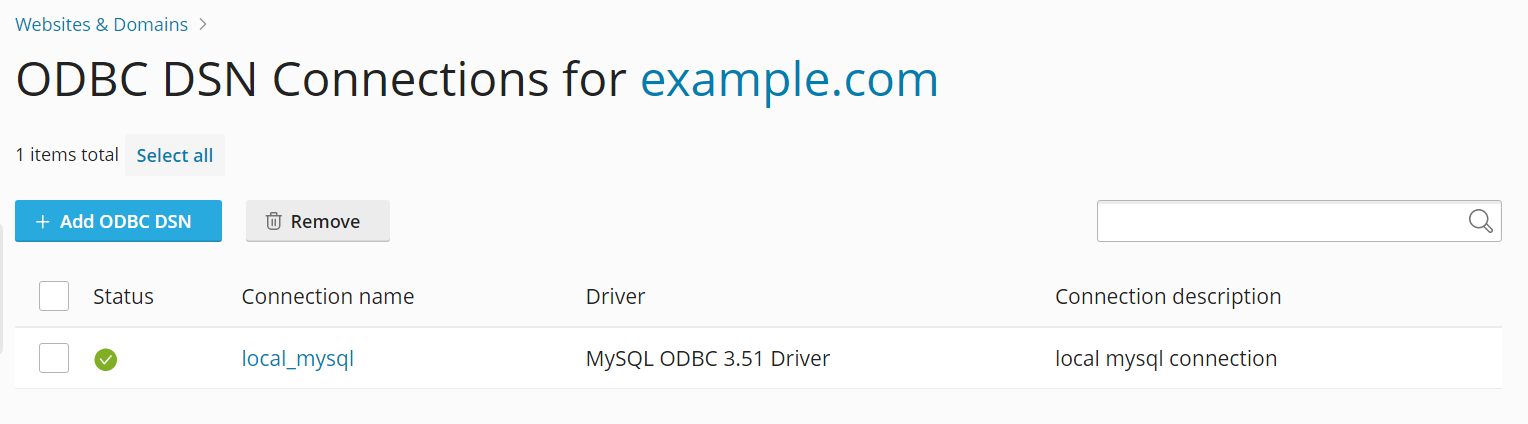
To change the settings of an existing server-level ODBC data source:
Go to Tools & Settings and click ODBC Data Sources.
Щелкните по нужному соединению в списке.
Внесите нужные изменения.
Click Test connection to check whether the connection will function properly with the new settings.
Click Save to save changes.
To remove a server-level ODBC data source:
Go to Tools & Settings and click ODBC Data Sources.
Поставьте галочку напротив соединения, которое хотите удалить.
Click Remove, and then click Yes, remove.
Managing Domain-Level ODBC Data Sources
Domain-level ODBC data sources are available only to a specific domain.
To create a new domain-level ODBC data source:
Откройте страницу Сайты и домены и нажмите Источники данных ODBC.
Нажмите Добавить ODBC DSN.
В соответствующих полях введите имя и описание соединения ODBC.
In the Platform field, select 32-bit or 64-bit depending on your application’s requirements.
Выберите нужный драйвер в поле Драйвер.
Нажмите Создать ODBC DSN.
Choose the appropriate options on the driver configuration screen. Typically, you have to specify the database path, user credentials, and other connection options depending on the selected driver.
Click Test connection to check whether the connection will function properly with the provided settings.
Click Save to complete the creation.
To change settings of an existing domain-level ODBC data source:
Откройте страницу Сайты и домены и нажмите Источники данных ODBC.
Щелкните по нужному соединению в списке.
Внесите нужные изменения.
Click Test connection to check whether the connection will function properly with the new settings.
Click Save to save changes.
To remove a domain-level ODBC data source:
Откройте страницу Сайты и домены и нажмите Источники данных ODBC.
Поставьте галочку напротив соединения, которое хотите удалить.
Click Remove, and then click Yes, remove.