查看统计
站点访问统计
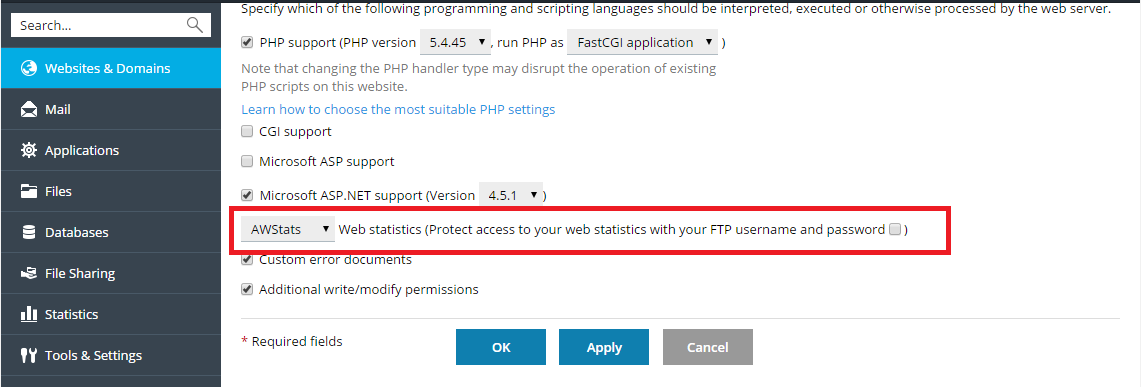
To enable web statistics or change the web statistics application, go to Websites & Domains > Hosting % DNS > Hosting and at the Web Statistics menu select the web statistics software that you want to use for viewing graphical reports and charts on website visitors.
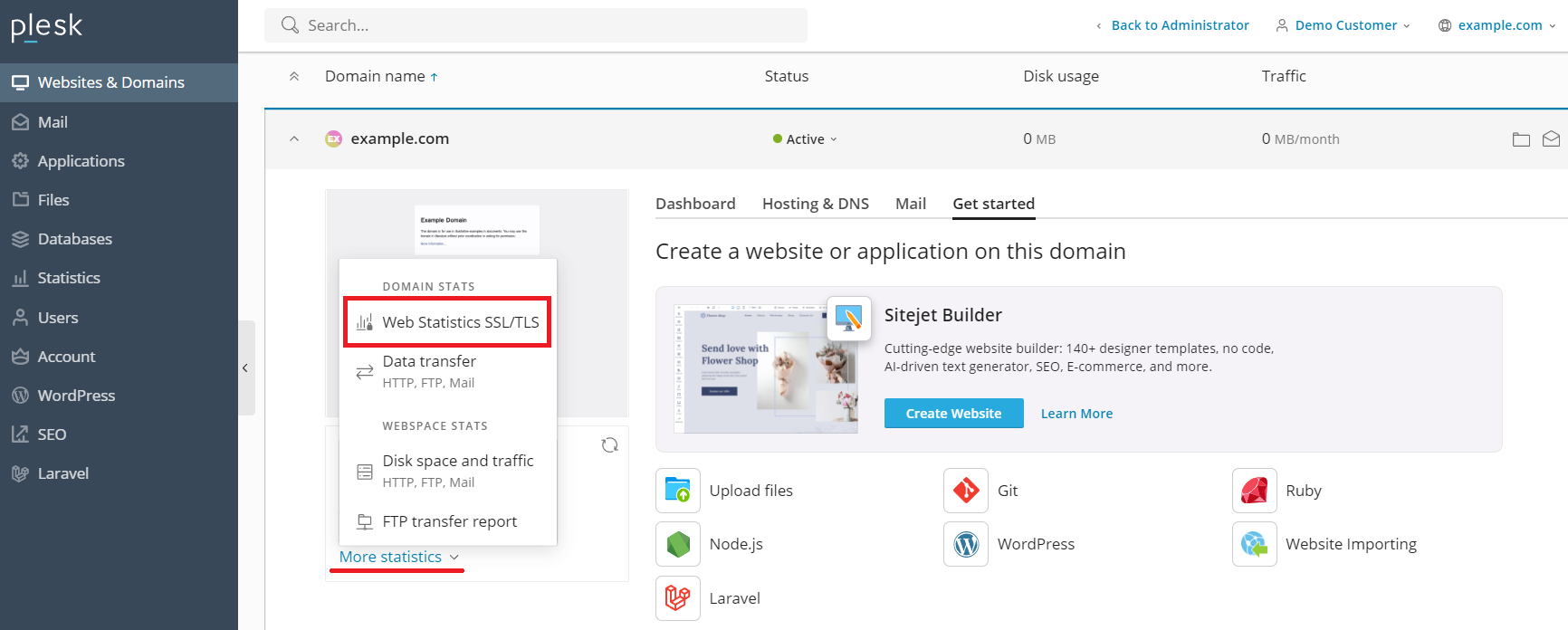
To view the web statistics, go to Websites & Domains, under “Statistics”, click More statistics, and then click Web Statistics or Web Statistics SSL/TLS.
备注
如果您在按照上面的说明执行后没有看到任何 web 统计数据,这很可能表示尚未为有关域名生成这些统计数据。很可能域名是最近创建的,或者刚刚启用了 web 统计。24 小时后再按照说明尝试一次。如果没有 web 统计显示,请联系您的提供商。
磁盘和流量使用报告
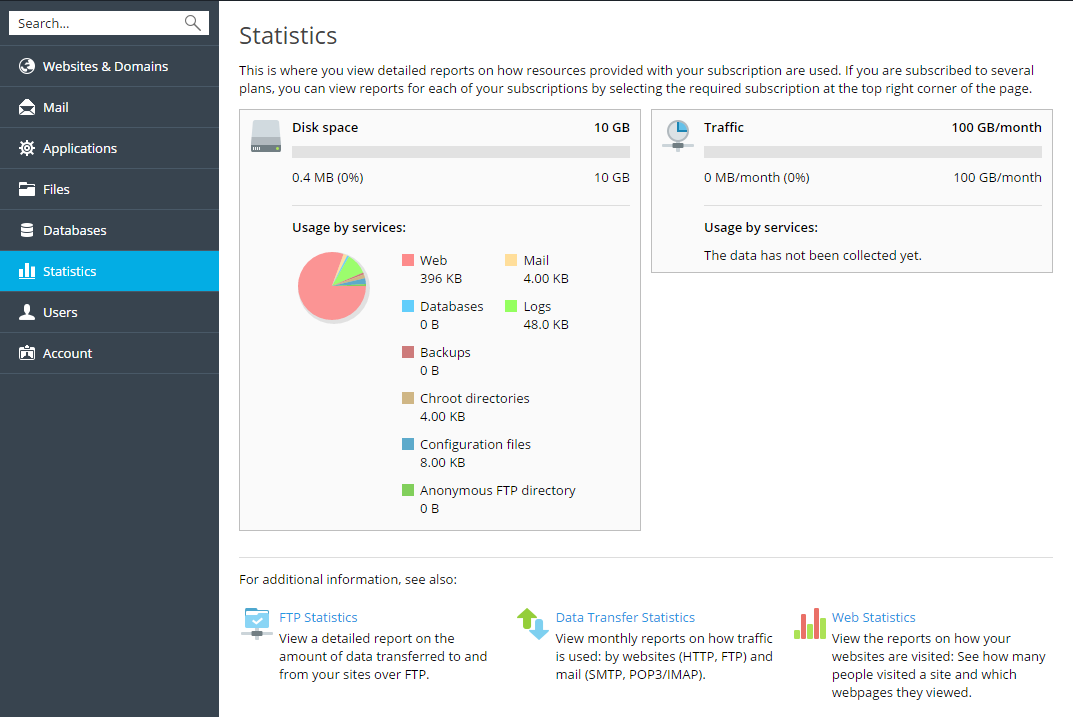
若要查看磁盘和流量使用报告,请转入 统计 。