查看統計
網站存取統計
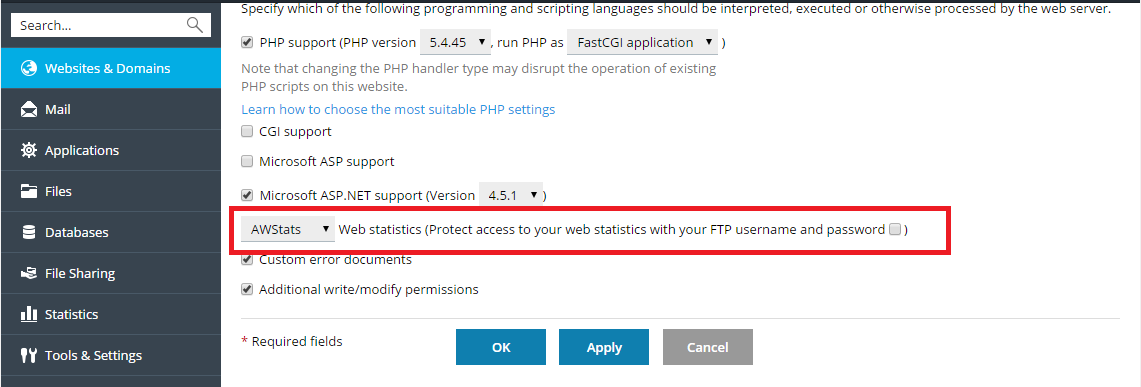
To enable web statistics or change the web statistics application, go to Websites & Domains > Hosting % DNS > Hosting and at the Web Statistics menu select the web statistics software that you want to use for viewing graphical reports and charts on website visitors.
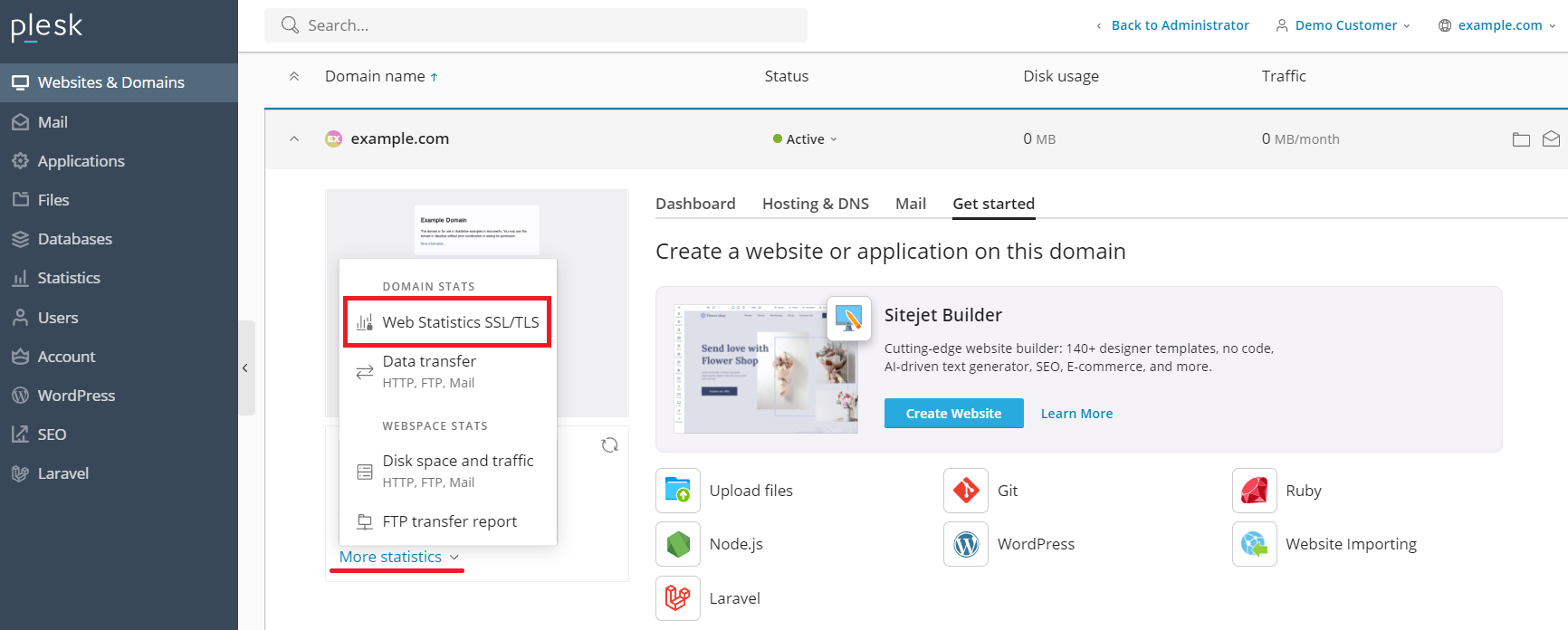
To view the web statistics, go to Websites & Domains, under 「Statistics」, click More statistics, and then click Web Statistics or Web Statistics SSL/TLS.
備註
如果您在按照上面的說明執行後沒有看到任何 web 統計資料,這很可能表示尚未為有關域名生成這些統計資料。很可能域名是最近創建的,或者剛剛啟用了 web 統計。24 小時後再按照說明嘗試一次。如果沒有 web 統計顯示,請聯繫您的提供商。
磁片和流量使用報告
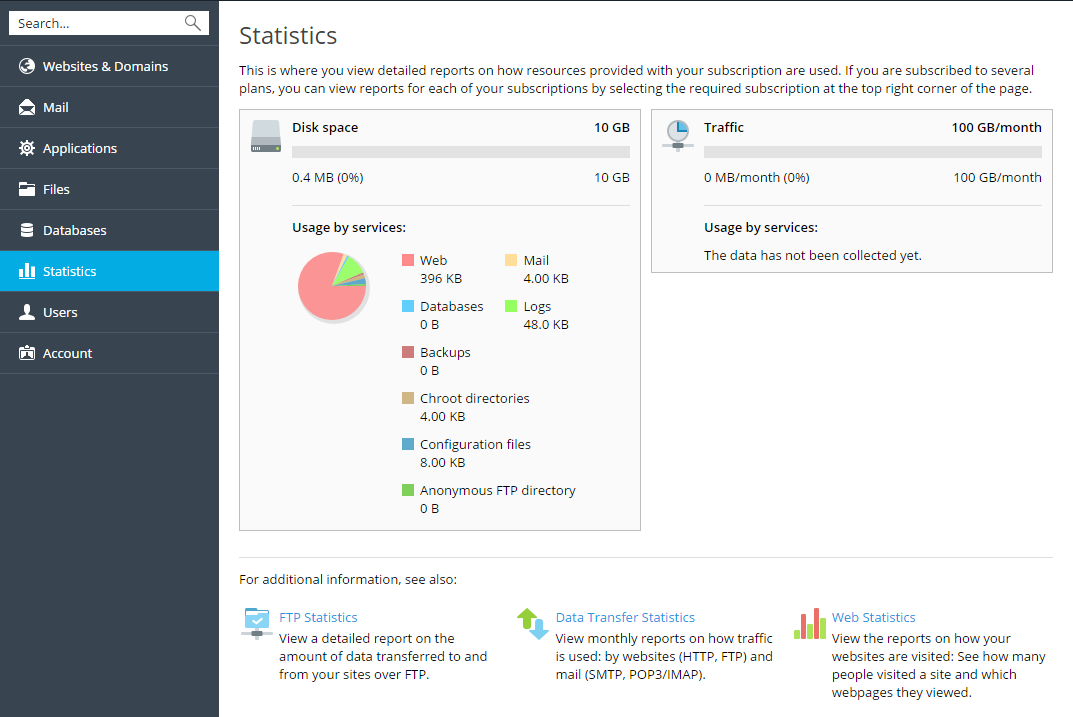
若要查看磁片和流量使用報告,請轉到 統計 。